
Studio software for interior designersRun the whole studio. Every room, on time.
Projects, FF&E schedules, procurement, client approvals and invoicing in one place. Every item is checked against the date it has to be installed, so you know weeks ahead which orders need you, while there’s still time.
Founding round, 50 studiosWe move your schedules across, free

Shaped with our six
founding studios
One place for everything the studio runs on.
No more schedule in one spreadsheet, invoices in another app and approvals lost in email. From the first enquiry to the final invoice, it all lives in the project.
- i.
Projects
Phases, tasks, drawings, files, time tracking and meeting notes for every job.
- ii.
FF&E and procurementThe difference
Schedules checked against install dates, purchase orders straight from the schedule, and the Product Clipper to save pieces from any supplier’s website.
- iii.
Client portal
Clients approve pieces, see their invoices and message the studio in one calm place.
- iv.
Contractor portal
Each trade works from the current drawings, schedule and items, so nothing is lost in email or WhatsApp. Prices and margins stay with you.
- v.
Finance
Invoices and purchase orders with UK VAT go to Xero, and paid status comes back. A currency for each project.
- vi.
CRM
Enquiries and proposals, and won work becomes a project without retyping a thing.
- vii.
Techstyles AI
A daily brief, inbox summaries, meeting notes and Atelier, the assistant that drafts and proposes while you decide.
A schedule that tells you what will be late. Weeks before it is.
A spreadsheet shows what you ordered, not whether it will arrive in time. Techstyles works back from each install date using the supplier’s lead time, and warns you while there is still time to re-source, reorder or move the date.
Blocked
Out of stock, rejected or on hold. Needs a decision now.
At risk
The order-by date is close or passed, or delivery lands after install.
Watching
Flagged by your team to keep an eye on.
OK
Ordered in time for the install.
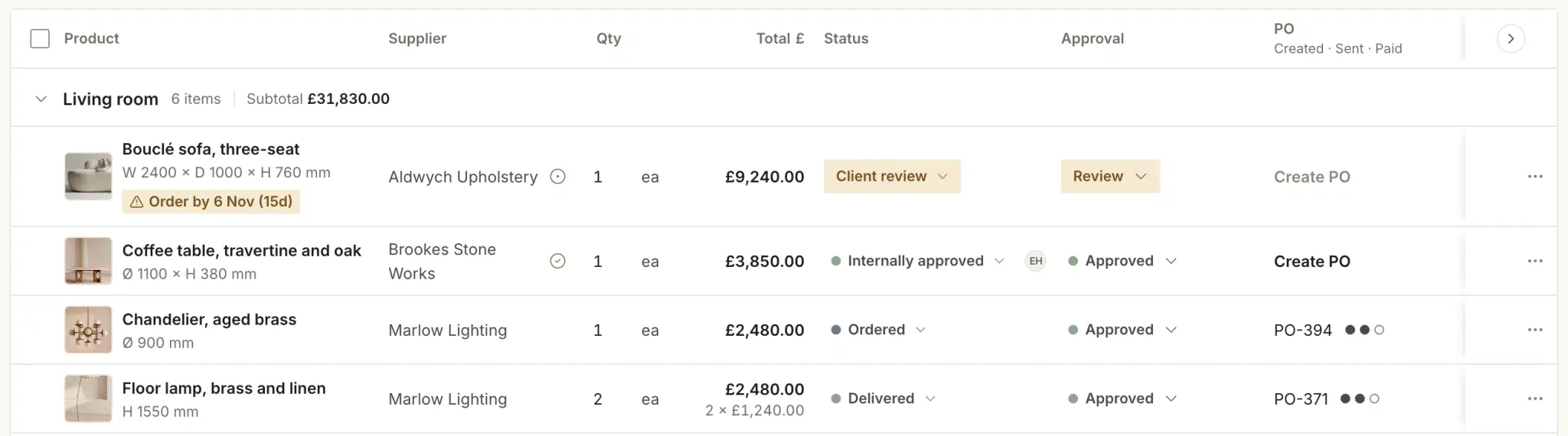
Mews House, procurement. The real Techstyles app.Approvals, order-by dates and purchase orders on one schedule

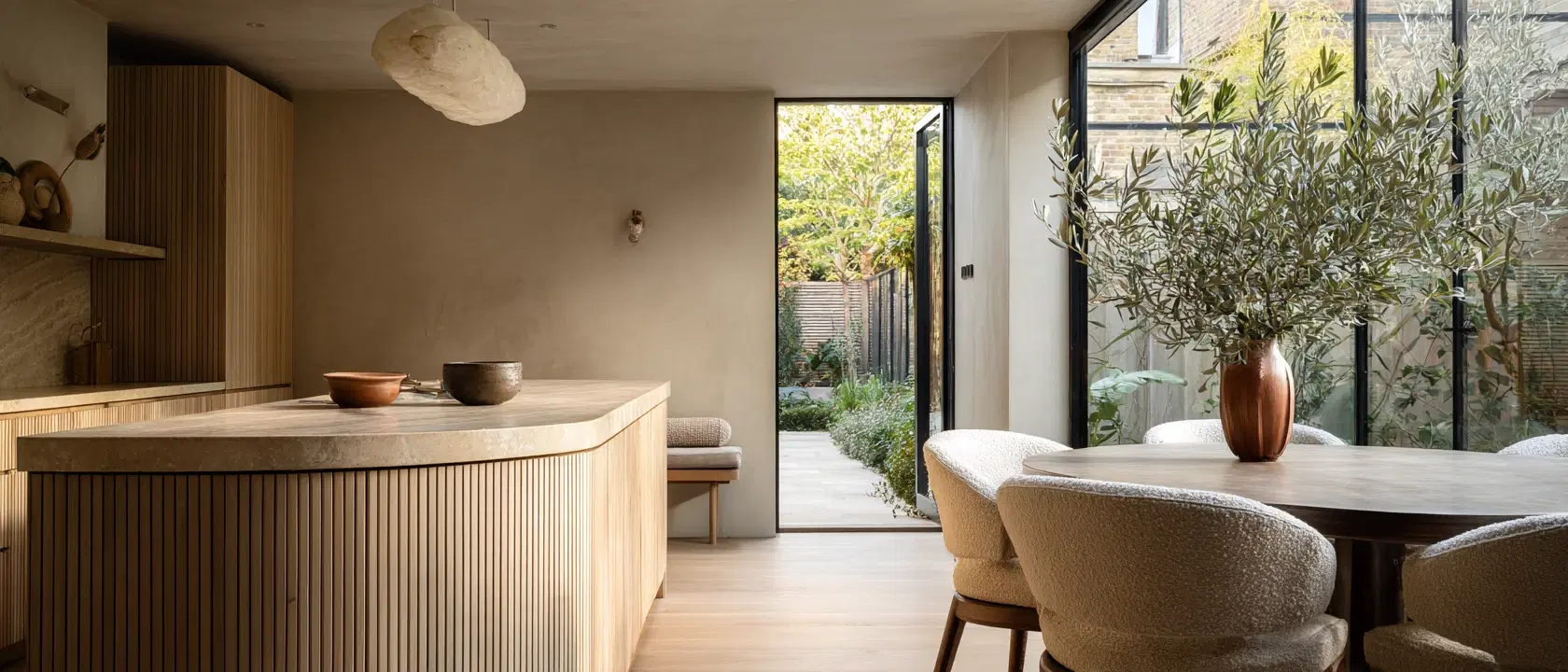

Clients and trades, on the same page.
For your clients
They approve pieces, see their invoices and message the studio, all in one place, with every decision kept on the record.
For your trades
Each trade works from the same drawings, schedule and items, so nothing is lost in email or WhatsApp.
Clients and trades join free. Trades never see your prices or margins.
The business side, handled.
See which project needs you first, then invoice it properly: with UK VAT, in the project’s currency, and reconciled in Xero.
Every project at a glance
Status, next milestone, progress, team and spend against budget, sorted so the job that needs attention comes first. Tasks, drawings, files, time and meeting notes sit inside each one.
Project management →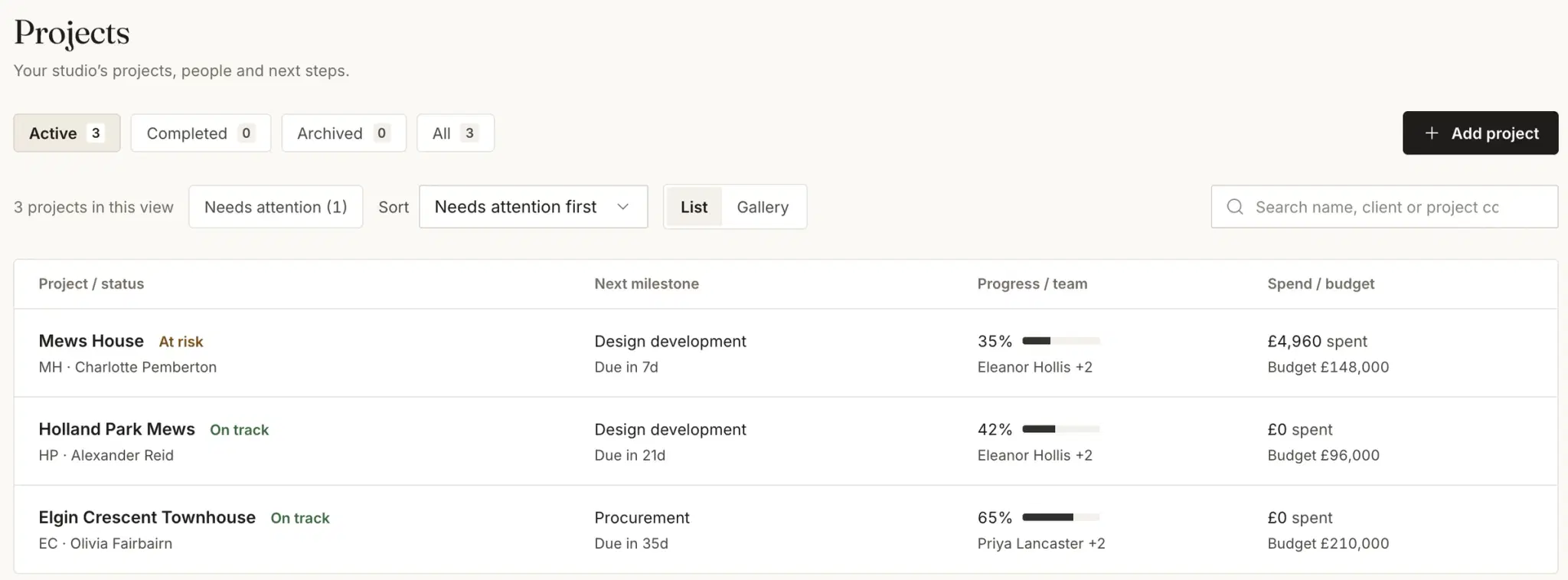
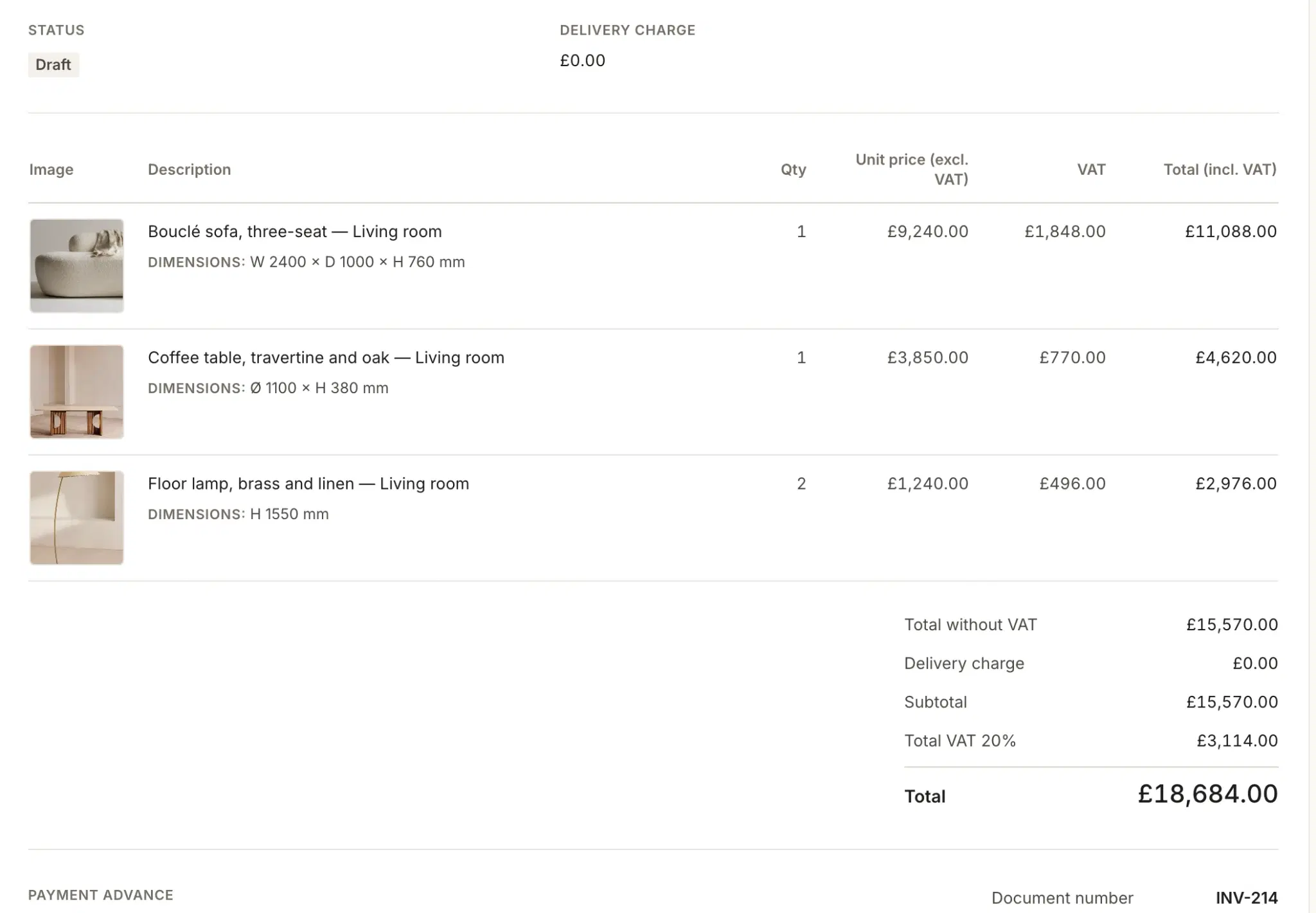
Invoices that reconcile themselves
Invoice with images, dimensions and UK VAT. It goes to Xero, and when the client pays, the paid status comes back.
 Two-way XeroUK VATMulti-currencyTime tracking
An assistant that asks before it acts.
Atelier knows your projects. Ask it anything, have it draft the email, let it propose the change. You read it, you decide, you press send.
- Atelier
- Answers questions about your projects, drafts emails for you to send and proposes changes you confirm.
- Daily brief
- What needs you today, waiting when you open the studio.
- Inbox
- Gmail summaries with suggested tasks, so client emails become actions.
- Meeting notes
- Notes written up from your recordings.
- Procurement risk
- A plain-English explanation of why an item is at risk and what to do.
- Smart Fill
- Product details picked out in the Product Clipper.
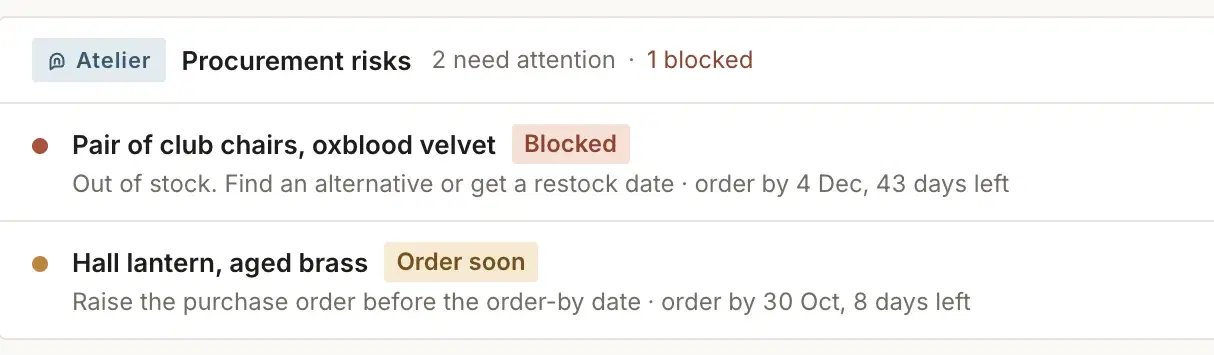

Nothing is sent or saved without a person approving it.Every draft, every change, every email waits for you.
Beautiful is the start. On time is the point.
Plenty of studio software looks good. Here’s what Techstyles does that you’ll notice in week three of a project, not on day one of a demo.
Warned weeks ahead
Every line is checked against its install date and the supplier’s lead time: blocked, at risk, watching or OK. Not a list of what’s late; a list of what’s going to be.
Clients and trades included
Client and contractor portals on every seat, free for them to join: approvals, invoices, drawings and items in one place, not in email. Trades never see a price or a margin.
Every feature, every seat
No plans to compare, no add-ons to unlock. One price per user, with clients and trades free.
Xero and UK VAT, properly
Invoices and purchase orders go to Xero with VAT, and paid status comes back. Projects and POs keep their own currencies.
AI that waits for you
Drafts, summaries and proposed changes, never sent or saved until someone in the studio says yes.
We move you in
Send us your existing schedules and our team moves them across for free, so you start on a live project, not a blank one.

It transformed the way I manage my studio. More time for creative work, far less admin.
One of our six founding studios
One price. Every feature. Every seat.
£49per user per month
for your first five users
£39 per user from the sixth. Prices include VAT.
Join the waitlistFounding round: 50 studios, approved weekly. No tiers, no add-ons.
Every seat includes
- Projects, tasks, drawings, files and time tracking
- FF&E schedules, procurement and purchase orders
- Client portal and contractor portal
- Invoicing with UK VAT and two-way Xero
- CRM, enquiries and proposals
- Techstyles AI, including Atelier
- Your existing schedules moved across, free
Clients and trades join free. A five-person studio pays £245 a month, including VAT. Full pricing →
Can you move our live projects across?
Yes. Send us your existing schedules and our team moves them across for free, so you try Techstyles on a real project, not a blank one.
Does it work with Xero?
Yes, both ways. Invoices and purchase orders go to Xero with UK VAT, and when a client pays, the paid status comes back to Techstyles.
Do clients and contractors cost extra?
No. Clients and trades join free. You pay only for your studio’s own users, and every feature is on every seat.
How much does it cost?
£49 per user per month for your first five users, and £39 per user from the sixth, including VAT. A five-person studio pays £245 a month. Pay for the year upfront and it is 20% less.
What happens after the 30-day trial?
You decide whether to carry on. The trial is free for 30 days and needs no card to start.
Can we work in other currencies?
Yes. Each project has its own currency, and purchase orders stay in the supplier’s currency.
Does Atelier send anything on its own?
No. Nothing is sent or saved without a person approving it. Atelier drafts emails for you to send and proposes changes you confirm.
Bring your next project. We’ll bring the schedule across.
Send us the spreadsheet you’re working from today. We’ll move it into Techstyles for free, and you’ll see what’s at risk on a project you’re actually running.