
Client portal for interior designers Clients approve from their phone.
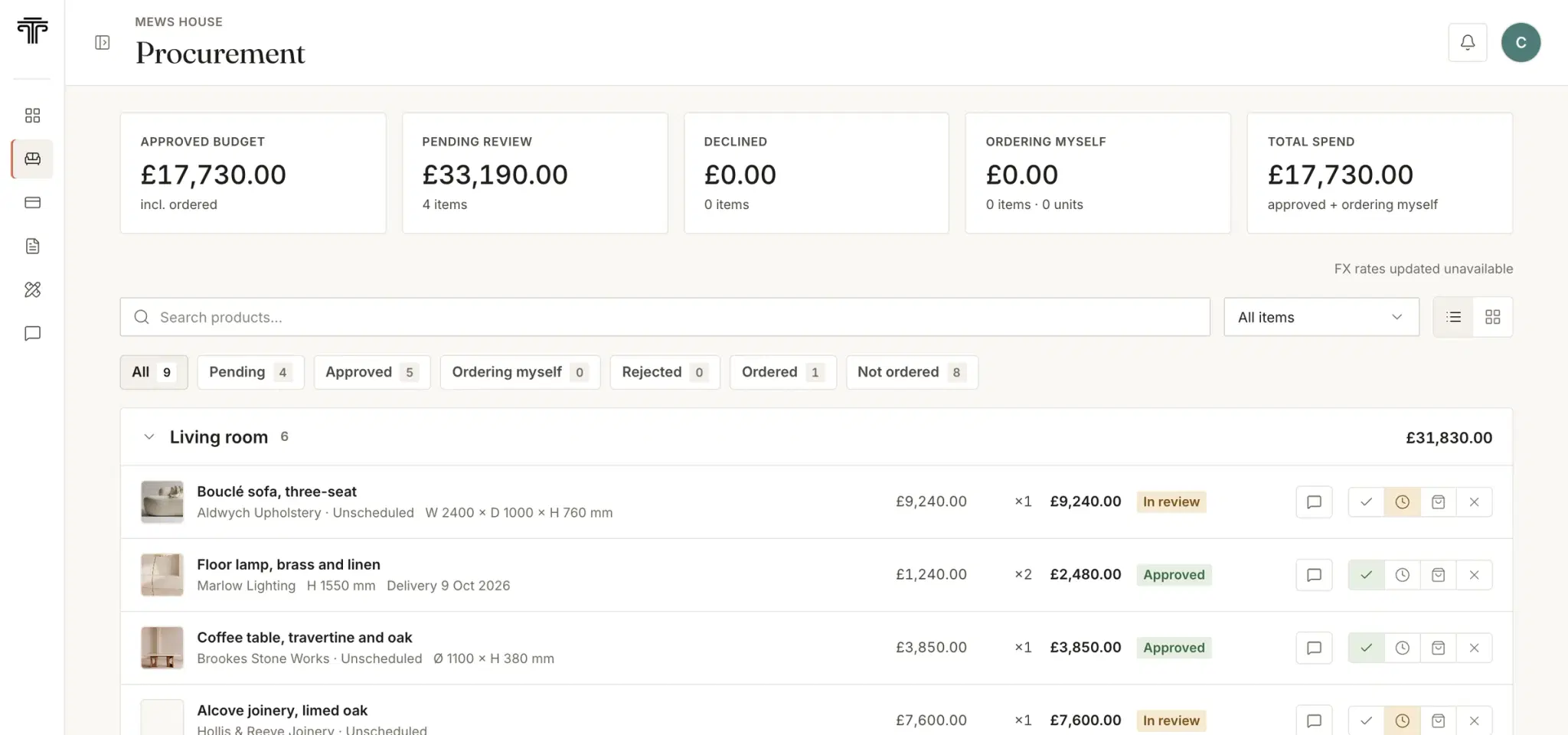
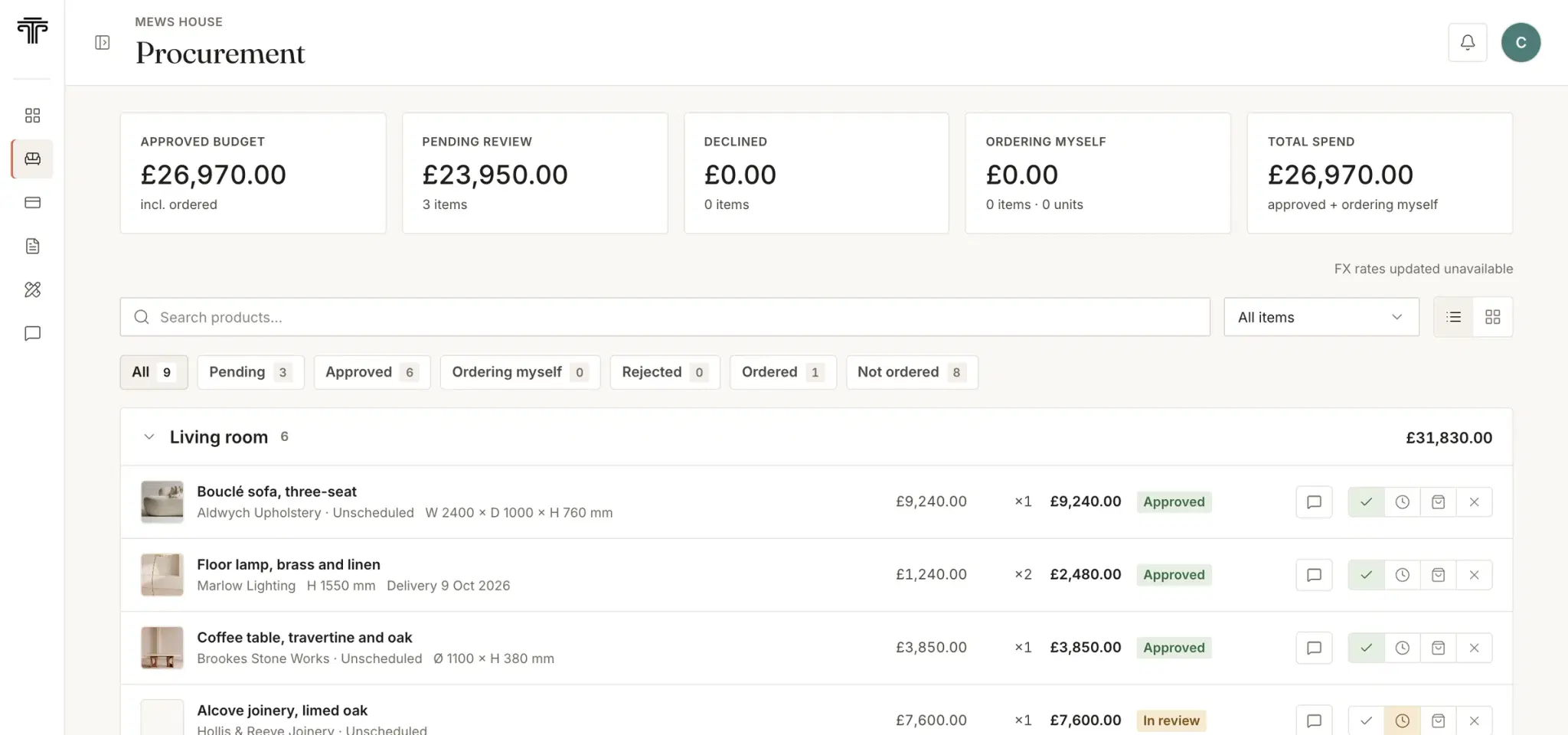
Send one link. They approve each piece or send it back, and the answer is saved on the item with the date.
Free for 30 days, no card. We move your schedules across free.

How an approval travels
A decision should leave a record.
The costly part is rarely the choice. It is the argument about it eight months later.
Share it from the schedule
Send a room or a single piece from the project. The client sees the image, the specification and the price as you set them.
The client decides
Approve, send back for review, reject, or order it themselves. Review and reject ask for a reason, so you are not left guessing.
The decision stays on the item
Dated, with the client’s own words, and the procurement schedule moves on from it. No email to act on afterwards.
Invoices
What is due, in plain sight.
Every invoice sits in the portal with its status, a PDF on your letterhead and the date it falls due. Fewer “has that been paid?” emails, in both directions.
Access
Everything the client needs. Nothing more.
You decide what each client sees, project by project.
Further readingClient communication that keeps a project on trackThe client approval process: deadlines that protect lead times
- One link
- Your link opens the client’s project, and only theirs. They can keep a password too, if they prefer one.
- Six screens
- Dashboard, procurement, finances, documents, drawings and messages. Procurement, documents and messages can be switched off per project.
- One thread
- Questions about a piece sit on the piece, with photos. Nothing is agreed in a WhatsApp only one person can find.
- No extra cost
- Clients are not seats. Invite every client on every project at no charge.
How do clients approve selections?
Selections are grouped by room. For each piece the client can approve it, send it back for review, reject it or say they will order it themselves. Review and reject ask for a reason, which you see straight away, and the decision is recorded against the item with the date.
Do clients need an account or a password?
No. A link from you opens their project directly. Clients who prefer a password can sign in with one, and each client only ever reaches their own project.
Can clients see invoices in the portal?
Yes. Clients see what is due next and every invoice with its status, and can download each one as a PDF with your studio’s details on it.
Does it cost extra to invite clients?
No. The portal is included in the subscription, with no per-client or per-project charge.
Is the portal secure?
Each client reaches only their own project, and you choose which parts of it they see, project by project.

It transformed the way I manage my studio. More time for creative work, far less admin.
Give your clients one place to say yes.
Free for 30 days, no card. We move your schedules across free.