Changelog Every month, something new.
Every change we have shipped, newest first. Built in the UK, used for work around the world.
Free for 30 days, no card. We move your schedules across free.
October 2026
- NewFinancePick which Xero account your invoices post toName the Xero account your invoices and purchase orders post to, so they arrive where your bookkeeper expects them.
- ImprovedFinanceEvery invoice line shows price, VAT and totalEach line on an invoice reads price plus VAT equals total. VAT is worked out correctly from VAT-inclusive prices, and the invoice PDF now prints the VAT column.
September 2026
In focus · June 2026
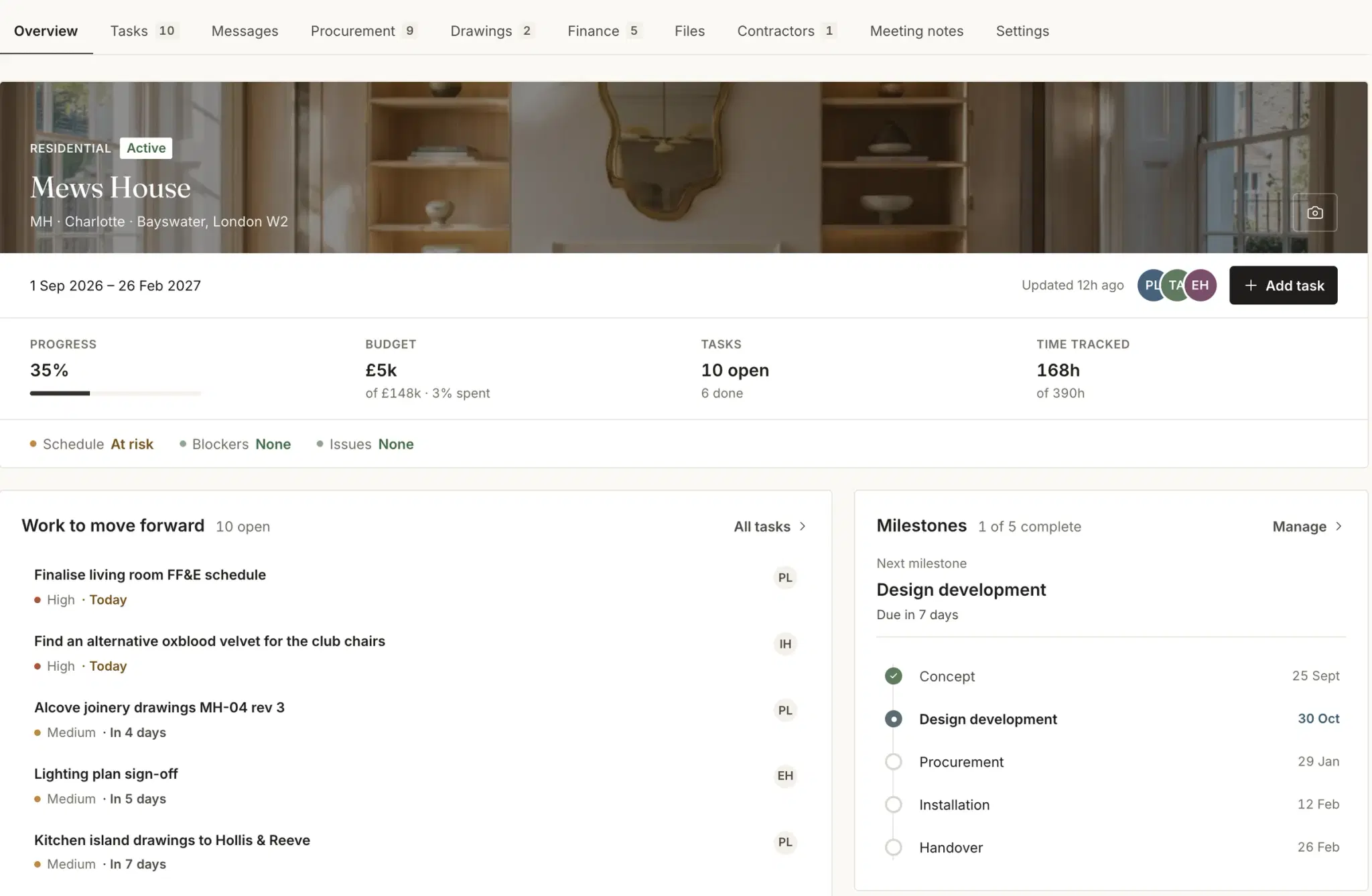
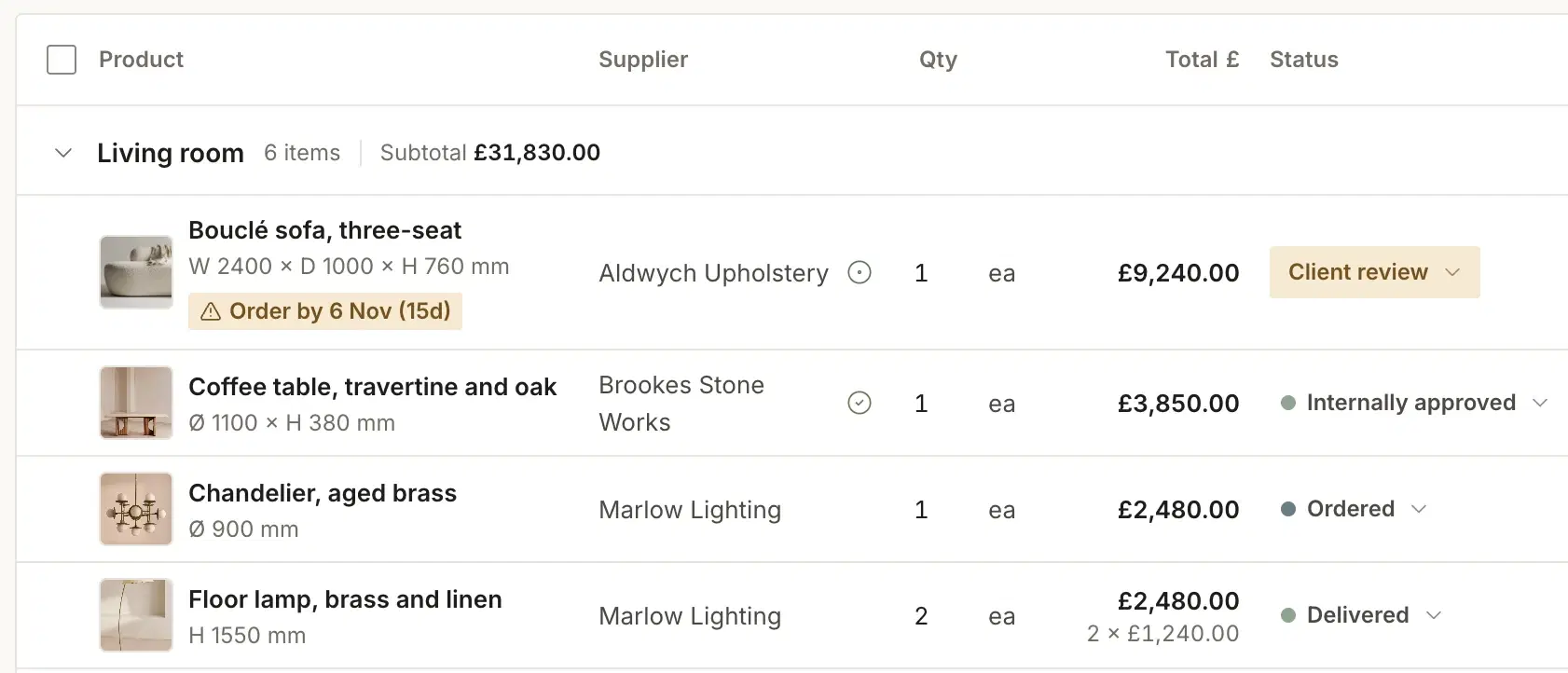
Install-date risk, on every line.
Each procurement line carries the date it has to be on site. The schedule flags the ones that will not make it, while there is still time to reorder.
At a glance
61 changes across 12 months.
- 14Procurement →Latest: Batch actions on the schedule, Sept 2026
- 11Finance →Latest: Pick which Xero account your invoices post to, Oct 2026
- 8Portals →Latest: Portal invite status, project by project, Sept 2026
- 24Studio →Latest: Two-factor sign-in and session control, Sept 2026
- 4AI →Latest: Meeting notes, Jul 2026
The record
Month by month.
October
2026
- NewFinance
- Pick which Xero account your invoices post toName the Xero account your invoices and purchase orders post to, so they arrive where your bookkeeper expects them.
- ImprovedFinance
- Every invoice line shows price, VAT and totalEach line on an invoice reads price plus VAT equals total. VAT is worked out correctly from VAT-inclusive prices, and the invoice PDF now prints the VAT column.
September
2026
- ImprovedProcurement
- Batch actions on the scheduleSelect several procurement lines and act on them together, from the list itself.
- NewFinance
- VAT on invoices, bank details and a paid lockInvoices carry a VAT breakdown and your studio’s bank details, and lock once paid so the figures cannot drift afterwards.
- ImprovedFinance
- Purchase orders post to Xero as purchase ordersPurchase orders post to Xero as purchase orders, drafts stay in Techstyles until you send them, the invoice PDF is attached to the Xero record, and the badge only says synced when it is.
- NewFinance
- Warning when a document bills a changed itemIf an item on a sent purchase order is archived or rejected later, the document is flagged and names the affected lines.
- FixedFinance
- Xero contacts matched before they are createdAn existing Xero contact is found by name first, and a failed sync says what to do in one line.
- NewPortals
- Portal invite status, project by projectSee whether each client and contractor is not invited, invited or joined on every project.
- FixedPortals
- The client portal shows the right phaseThe current phase is worked out from the programme dates rather than a flag someone forgot to move.
- NewStudio
- Two-factor sign-in and session controlTurn on two-factor authentication with an authenticator app, see and end your active sessions, and recover access if you lose the device.
August
2026
- NewProcurement
- Filter the schedule by required-by dateNarrow the procurement list to what has to be on site in a given window.
- NewProcurement
- Supplier trade discountsSet a trade discount once per supplier and it applies everywhere procurement pricing appears.
- FixedPortals
- Room totals in the project currencyRoom totals in the client portal are converted to the project currency.
- NewStudio
- Full-screen studio calendarOne calendar across every project, with a colour per project so a busy week reads at a glance.
- ImprovedStudio
- Time tracking that fits the studioCreate a task straight from the time tracker, see only the tasks assigned to you, and set whether time is billable by default for the whole studio.
- ImprovedStudio
- Document markup that savesComments on drawings and documents are saved one by one as you make them.
2026, January to July7 months, 40 changesShowHide
July
2026
- NewProcurement
- Multi-currency procurementPrice an item in the supplier’s currency and see it converted to the project currency across procurement, finance and reports, with the original price a hover away.
- ImprovedProcurement
- Archive lines and sharper filtersArchive procurement lines singly or in bulk, and switch any filter between show-only and hide.
- NewStudio
- Drawing approvalsDrawing packages go to the project lead, then a studio admin, before they are issued. Share drawings with clients and see who has viewed them.
- NewPortals
- A channel per contractorMessage each contractor in their own channel on the project, with their team added to it.
- NewStudio
- Studio plannerPlan the studio’s capacity: project templates, team allocations and bookings, and a forecast of how busy everyone will be.
- NewStudio
- Proposals priced from effortPrice a proposal from the estimated effort by stage, and carry a won proposal straight into the project plan.
- NewAI
- Meeting notesBring your own note-taker to client meetings. Notes and recordings are kept on the project, with a player for the audio.
June
2026
- NewProcurement
- Install-date risk on every lineEvery procurement line carries a required-by date and an ETA. A risk panel flags lines with no required-by date, a required-by date after the install, or a date outside the project window.
- ImprovedPortals
- Drawing packages in the contractor portalContractors see the drawing packages and items issued to them in their portal, and can escalate a problem from there.
- NewPortals
- Messaging in the client portalClients message the studio from their portal, with live notifications on both sides.
- NewStudio
- Drawings, rebuiltDrawings are now their own area of every project, rather than files in a folder.
- NewStudio
- Project messagingProject channels with attachments, voice notes, reactions and mentions.
- ImprovedStudio
- A dashboard that shows project healthThe dashboard was redesigned around your live projects, with a health status on each one.
- ImprovedFinance
- Studio-wide finance for adminsAdmins see finance across every project in the studio, not only the ones they are assigned to.
- ImprovedStudio
- Folder permissions and browser notificationsRestrict folders and files by role, and get browser notifications when something needs you.
- ImprovedAI
- The assistant remembers the conversationFollow-up questions to the assistant keep the context of what you asked before.
May
2026
- NewProcurement
- Move lines between roomsMove procurement items from one room to another without re-entering them.
- NewProcurement
- Delivery address on purchase ordersChoose the delivery address when you raise a purchase order.
- ImprovedFinance
- Purchase orders and invoices in one listOne list for every purchase order and invoice in the studio, with reports that follow the period you choose.
- NewStudio
- Command palettePress ⌘K to search and jump anywhere in Techstyles.
- ImprovedStudio
- Team invitationsInvitations to join a studio are accepted properly, and removing a team member removes their access.
April
2026
- NewProcurement
- Export the schedule to CSVExport a project’s procurement schedule as a CSV file.
- ImprovedProcurement
- Categories and a check before PO editsProducts have categories, and editing a purchase order asks you to confirm first.
- NewFinance
- Trade invoices and internal approvalRecord trade invoices against a project, and note who approved a document internally.
- NewStudio
- Roles and permissionsDecide what each role can see and do, from procurement and finance to admin-only folders, in one permission matrix.
- NewStudio
- Studio templatesSave a studio template and apply it when you set up a new project.
- NewAI
- Tasks from the inboxTurn an email into a task, and read short insights at the top of each report.
March
2026
- ImprovedProcurement
- Purchase order and delivery filtersFilter the procurement list by purchase order and by delivery status.
- NewFinance
- Finance reportsReports for purchase orders, procurement, revenue and profit and loss.
- NewStudio
- Proposal builderBuild a proposal in four steps on a full page, and preview it as the client will see it.
- NewStudio
- Convert a lead into a projectA won lead becomes a project without re-entering the client.
- ImprovedStudio
- One calendarProject, studio and Google Calendar events in a single redesigned calendar.
- NewAI
- Email summariesSummarise a single email on request, inside the inbox.
February
2026
- NewPortals
- Invite contractorsInvite contractors to a project and share procurement items and documents with them in bulk.
- ImprovedStudio
- Rooms and a second clientA redesigned room page, and a second client contact on any project.
- NewStudio
- Help centreWritten help for the app, inside the app.
January
2026
- NewProcurement
- Purchase ordersRaise a purchase order from the procurement schedule and print it in one step.
- ImprovedProcurement
- Room and supplier filtersFilter the schedule by room and by supplier, and search it from the keyboard.
- NewStudio
- Google CalendarCreate Google Calendar events from Techstyles.
- ImprovedStudio
- Reports and searchRedesigned reports, project search, and a product library that pages and shows prices in your currency.
2025, November to December2 months, 5 changesShowHide
December
2025
- NewProcurement
- Delivery status at a glanceEach procurement line shows its delivery status as a single label you can scan down the list.
- NewFinance
- Send invoices by emailEmail an invoice to the client straight from project finance.
- NewPortals
- Invite clients to a projectInvite a client to their project from the project itself.
- NewStudio
- Studio timeline and calendarA timeline of every project in the studio, and a calendar on the home page.
November
2025
- NewStudio
- FoundationsThe first release of the app as it stands today: projects with phases and tasks, the procurement schedule, the product library, project finance and time tracking.
See it on a live project.
Watch the schedule score every line against the install date.
Free for 30 days, no card. We move your schedules across free.