
FF&E procurement for interior designers Order every piece in time for install day.
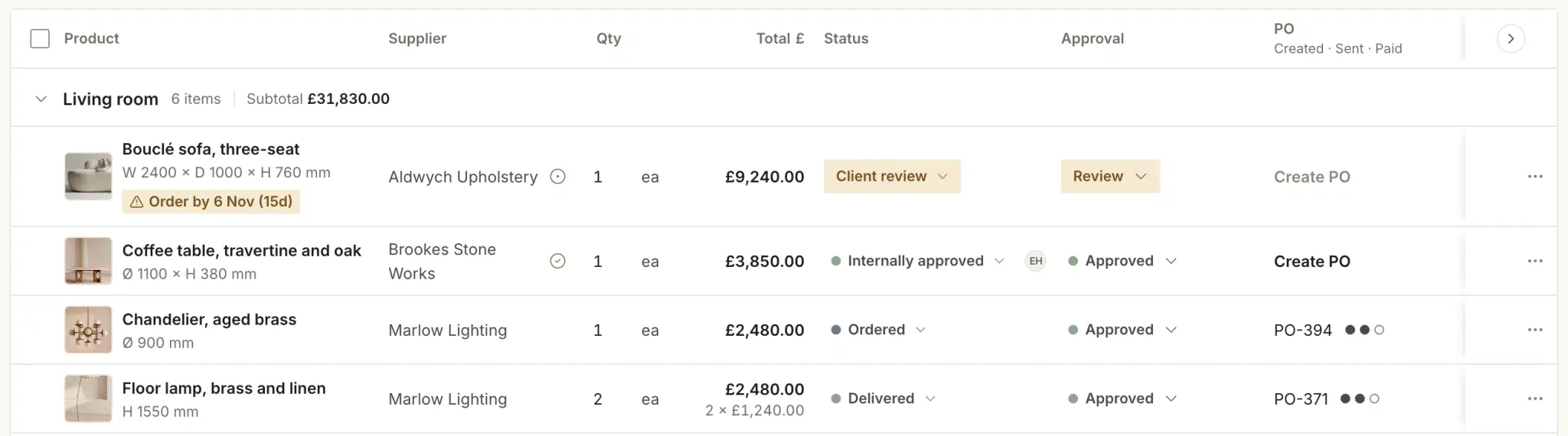
Every FF&E line gets the last date you can order it, counted back from the install using the supplier’s lead time.
Free for 30 days, no card. We move your schedules across free.

Install-date scoring
One schedule. Every line scored.
Lead time, counted back from the day each piece must be on site, gives an order-by date. Where today falls against it is the score.
- Blocked
Ordering today still misses the install.
- At risk
Order-by date inside a fortnight. Chase it now.
- Watching
Float left, but a slip would eat it.
- OK
Ordered in time, or float to spare.
Techstyles AI
When a line turns red, it tells you why.
It explains and drafts; you decide. Nothing reaches a supplier until you send it.
How Techstyles AI works, and what it will not do- Risk insights
- Which item will miss its install, by how much and why, with the next step: chase the supplier or move the date.
- Emails
- Atelier, the Techstyles assistant, drafts the note asking the supplier for an earlier slot, with the item, the dates and the PO already in it. You copy it and send it.
- Smart Fill
- The Product Clipper reads a supplier’s product page and fills in price, finish, dimensions and lead time for you to check before saving.
How it works
Specify, score, order.
One record, from the first clip to the paid invoice.
 Orders and invoices sync with Xero
Specify
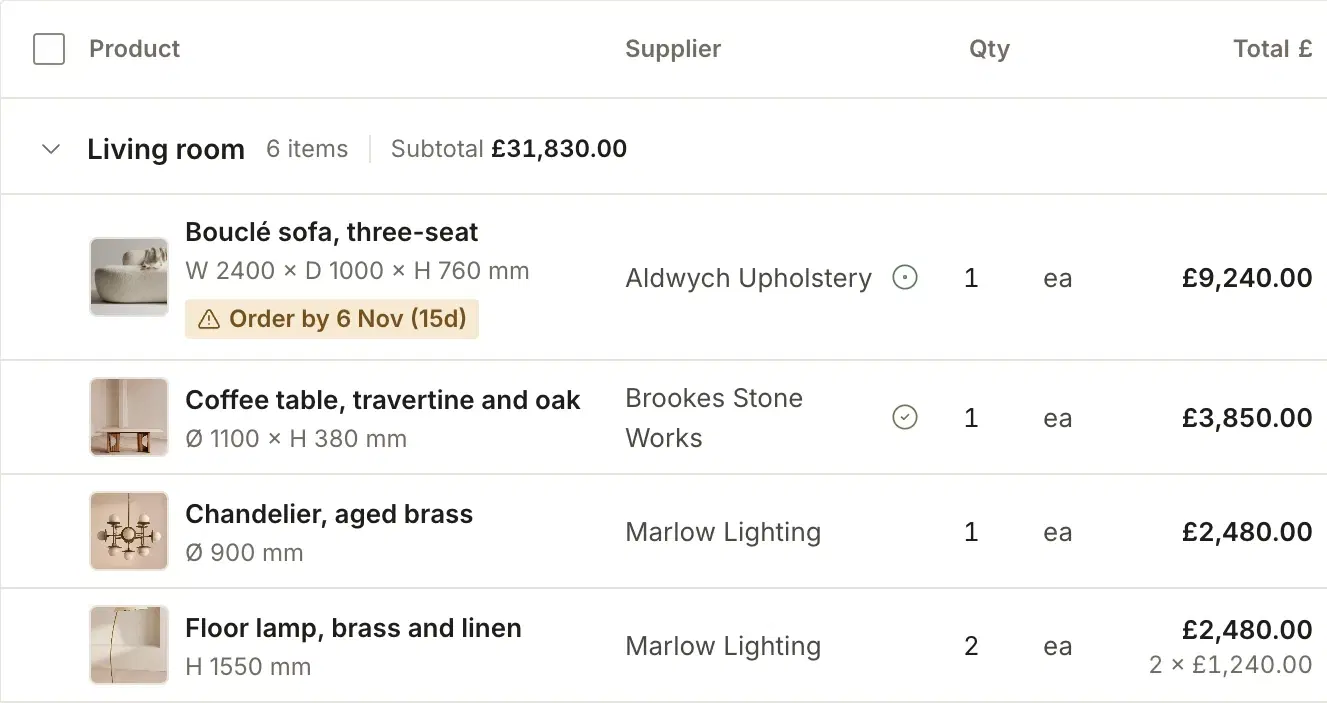
Clip a product from any supplier site, or add trade-only and bespoke pieces by hand. Finish, price and lead time land on the line.
Score
Each line is scored against its install date, and moves the moment a lead time or the install changes.
Order
Once the client approves it in the portal, it becomes a purchase order in the supplier’s currency with the VAT carried through, synced to Xero.
One sofa, date by date
Flagged while it could still be ordered. In the room on 19 February.
Twelve weeks to make and two to spare before the install. A spreadsheet finds that out on the day. Techstyles flagged it with 18 days left to order.
- FlaggedScored at risk: order by Fri 13 Nov to make the install.
- OrderedThe client approved it on Tuesday. PO-0412 went to Aldwych on Friday.
- On siteDelivered two weeks before the install.

How does install-date risk scoring work?
Every item is scored blocked, at risk, watching or OK from its supplier lead time, the date it has to be on site and the order-by deadline those two imply. You see the problem before the item is late, not when the van fails to arrive.
What does the AI do in procurement?
When an item will miss its install date, the project shows why and what to do next, such as chasing the supplier or moving the date. Atelier, the Techstyles assistant, drafts the supplier email for you to copy and send, and Smart Fill in the Product Clipper fills in price, finish, dimensions and lead time from a supplier’s page for you to check before saving. Nothing is sent or saved until you approve it.
Can I create purchase orders from approved items?
Yes. Once a client approves a selection you raise the purchase order from it, so the specification and the order are the same record and cannot drift apart.
Does procurement connect to budgets and invoicing?
Yes. Every item can be tied to a budget line and a client invoice, in GBP with UK VAT, and both sync with Xero. Committed cost, actual cost and margin stay current as you buy.
Does it work for studios outside the UK?
Yes. Install-date scoring, the product library and client approvals work the same wherever you are, and each project and supplier can keep its own currency. For UK studios, sterling, VAT and a two-way Xero sync are built in rather than bolted on.
How long is the free trial?
30 days, with every module included and no card needed. We can move your current schedules across for you.
Can I speak to a studio already using it?
Yes. We are in beta, so there are no case studies on this site yet, and we will not publish one we do not have. Get in touch and we will introduce you to a studio running its FF&E through Techstyles.
Where the schedule connects
From the brief to the invoice.
- ProjectsPhases, drawings and the install date the schedule counts back from.
- FinanceWhere the cost lands: GBP, UK VAT and two-way Xero.
- Client portalSelections approved by the client, every decision on record.
- Techstyles vs ProgramaA line-by-line comparison.
- Pricing£49 per user a month, £39 from the sixth user, excl. VAT.
Further readingPlan FF&E from the install date, not the order dateSustainable procurement: a designer’s guide to ethical sourcingFF&E schedule template: the columns a working schedule needsHow to calculate order-by dates for FF&EFurniture delayed? A calm playbook for supplier delaysFree purchase order template (Excel)
Free migration
19 February. The sofa is in, on time.
Score your live schedule. Send us the spreadsheet you are working from and we move it across for you.
- Send us a live scheduleThe spreadsheet or export you are working from today.
- We move it across, freeItems, suppliers and lead times, checked against the install date.
- Run the project for 30 daysNo card. Carry on, or export everything.
Free for 30 days, no card. We move your schedules across free.