Contractor portal for interior designers Every trade, the current drawings.
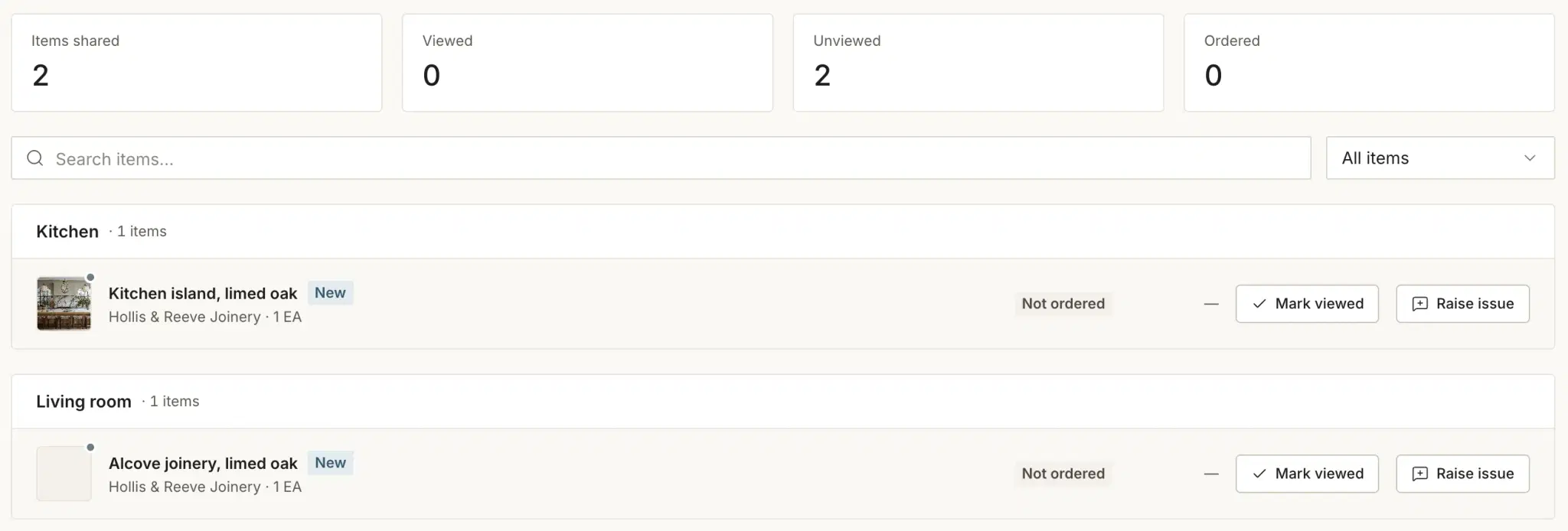
Your joiner, electrician and decorator open only their own drawings, files and items, always the current revision. They join free, with nothing to install.
Free for 30 days, no card. We move your schedules across free.

Compliance
Covered, before they are on site.
Each trade keeps their insurance and trade certificate current in their own portal, with the expiry dates. You see who is covered without asking for the PDF again.

From invite to site
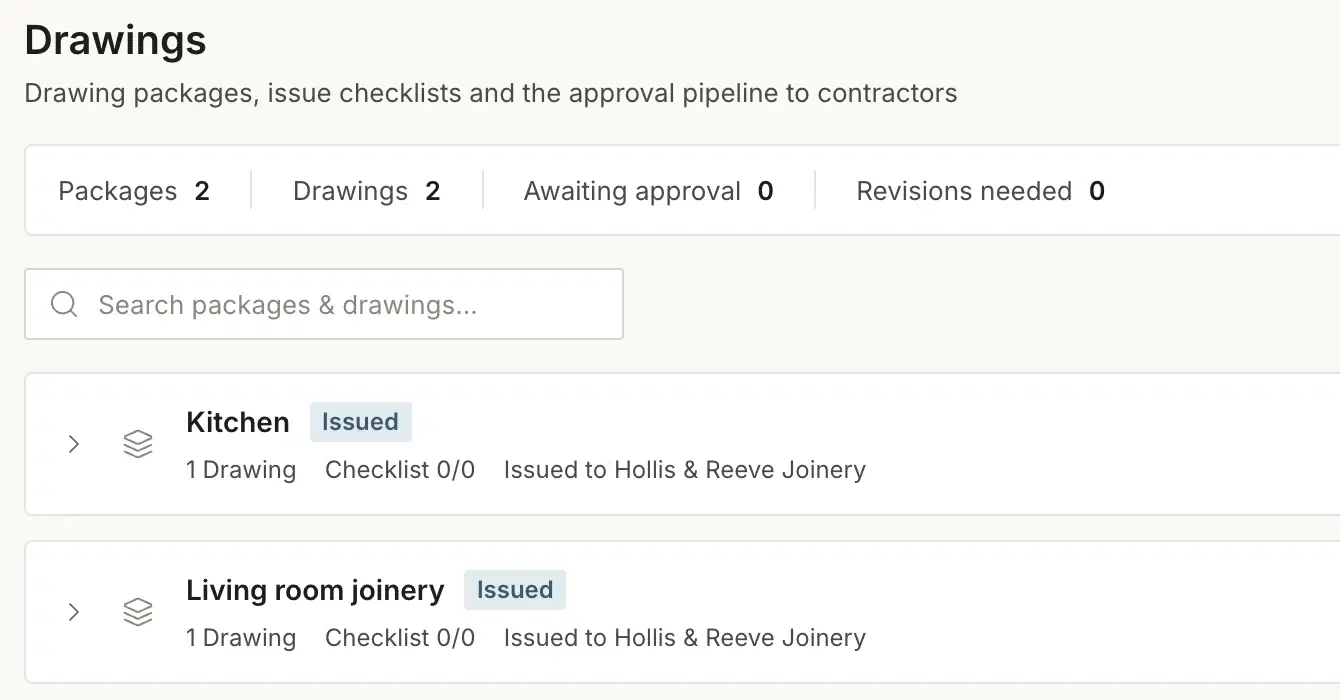
One set of drawings, and everyone on the same one.
The trade opens the revision you issued, not the one they saved in March.
Invite the trade
Add them to the project and choose their scope. They sign in from a browser with a password or a six-character access code. Nothing to install.
They work from the current set
Drawings carry their revision and date. When you issue a new one, the old one is marked superseded, not lost in a thread.
Site comes back to you
A trade raises an issue on an item or requests a revision on a drawing, with the reason written down, against the project.
Group chat or the record
Three things a group chat cannot do.
Trades coordinate well by phone. What a phone cannot do is prove what was current, and who was covered.
- Which drawing is current
- In a group chatWhichever attachment the fitter downloaded.
- On the recordThe one marked current, with every earlier revision kept and dated.
- Who was covered on the day
- In a group chatA certificate emailed at some point.
- On the recordInsurance on file with its expiry date, checked before anyone is on site.
- What this trade can see
- In a group chatEverything anyone pasted into it.
- On the recordTheir drawings, files and items. No prices, budgets or margins.
Do contractors need to install an app?
No. The portal opens in a browser on a phone or a laptop on site. Trades sign in with an email and password, or with a six-character access code you give them.
Can I keep contractor insurance documents on file?
Yes. Each trade uploads their public liability insurance and trade certificate with the expiry dates, and keeps them current. Each document shows as valid, expiring soon, expired or missing.
What does a contractor see, and what stays hidden?
The drawings, files and items you share with them, and a conversation with the studio. Prices, budgets and margins are never shown to a trade.
How do drawing revisions work?
Every drawing carries its revision and issue date. A trade can request a revision with a written reason, and when you issue the new one the earlier revision is marked superseded and kept in the version history.
Does it cost extra to invite contractors?
No. Contractor access is included in the subscription. There is no per-project fee and no charge per trade invited.
Put the site on the record.
Free for 30 days, no card. We move your schedules across free.